Todays Internet offers methods for secure web access (HTTPS) and email transfer (S/MIME) which are based on cryptographic
methods, called public keys. These ensure privacy of communication and authentification of the sender and receiver.
Most contemporary browsers and email programs support these with one or two "mouse clicks" and the advantages are numerous.
However, some very old insights into encryption and its well-known pitfalls still apply to this modern technology.
More information is found at
en.wikipedia.org.
An excellent book on the cryptographic background and fundamentals is
"F.L. Bauer, Decrypted Secrets - Methods and Maxims of Cryptology".
Web pages and emails can be signed and encrypted by digital certificates which are issued by
Certificate Authorities (CA), also called "root certificates". Most of these are privately operated,
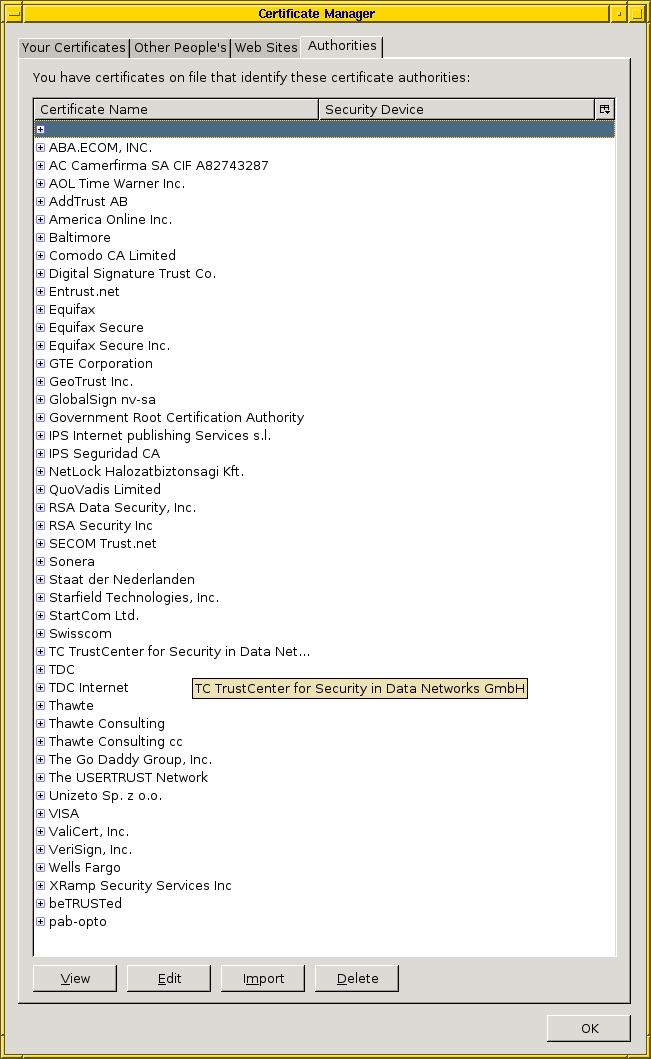
commercial companies, that you probably never even heard of. Your web browser has a built-in list of about a few dozen of these CAs
(listing of CAs in webbrowser Firefox, March 2007), and when ever it
encounters a certificate issued by one of them, it trust that certificate without any further questions
asked.
This practice of shipping software, like your browser, with a pre-installed long list of ad-hoc, blindly, trusted CAs could be regarded as
bad cryptographic mistake. It does ease handling at the client side and may be regarded as suitable for access to e-vendors for the
masses.
On "Firefox" this list is shown under "Preferences->Advanced->View Certificates".
Since communication at our site is much more peer-to-peer, we chose being our own CA. Which works exactly the
same way as described, and the HTTPS access is as secure, except our CA is not ad-hoc known to your browser.
Accordingly, you may make it known to your browser, which requires a one-time step on your side:
When loading our CA certificate, (DER format, CRT format) your browser shows a dialog window requesting you to confirm loading of an "untrusted" certificate. Depending on your version,an achknowledgement is required for import.
By security and cryptographic standards you want to verify that it is truly our certificate. Taking the browser "Firefox" as an Example, examining the certificate shows:
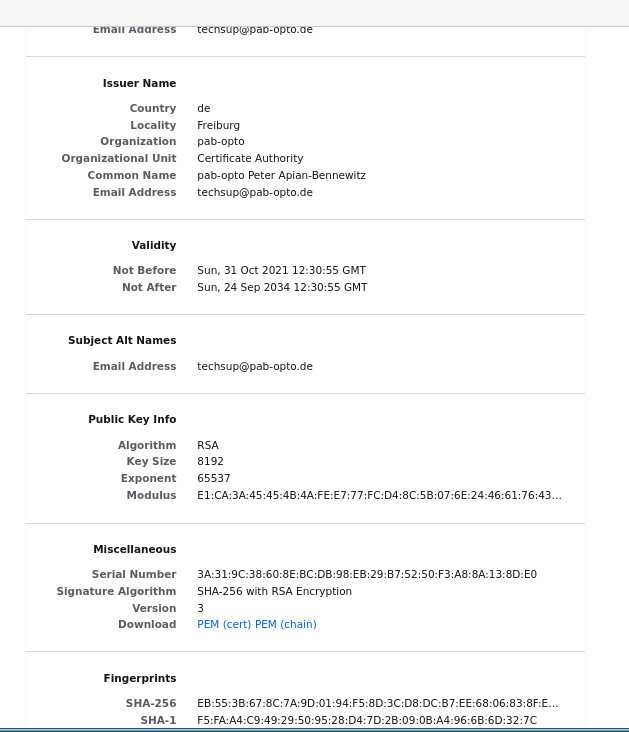
Verification of the certificate is done by checking its fingerprint, a number shown in the dialog window:
Validity: Not Before: Oct 31 12:30:55 2021 GMT, Not After : Sep 24 12:30:55 2034 GMT.
SHA256 Fingerprint=EB:55:3B:67:8C:7A:9D:01:94:F5:8D:3C:D8:DC:B7:EE:68:06:83:8F:EC:4A:B2:C4:06:A3:7C:6F:EE:5B:2D:32
SHA1 Fingerprint=F5:FA:A4:C9:49:29:50:95:28:D4:7D:2B:09:0B:A4:96:6B:6D:32:7C
However, consider the following cryptological insight:
It is basic cryptological security that an authentication code or encryption passphrase (in this case the CA certificate)
must be communicated or at least validated on another transport way as the authenticated or encrypted message itself.
In this scenario, we communicate this fingerprint as reference upon request.
Please contact us prior to sending S/MIME encrypted emails.
You might have to unset "OCSP Validate Certificates" in "Security Prefs" on the "opera:config" page.